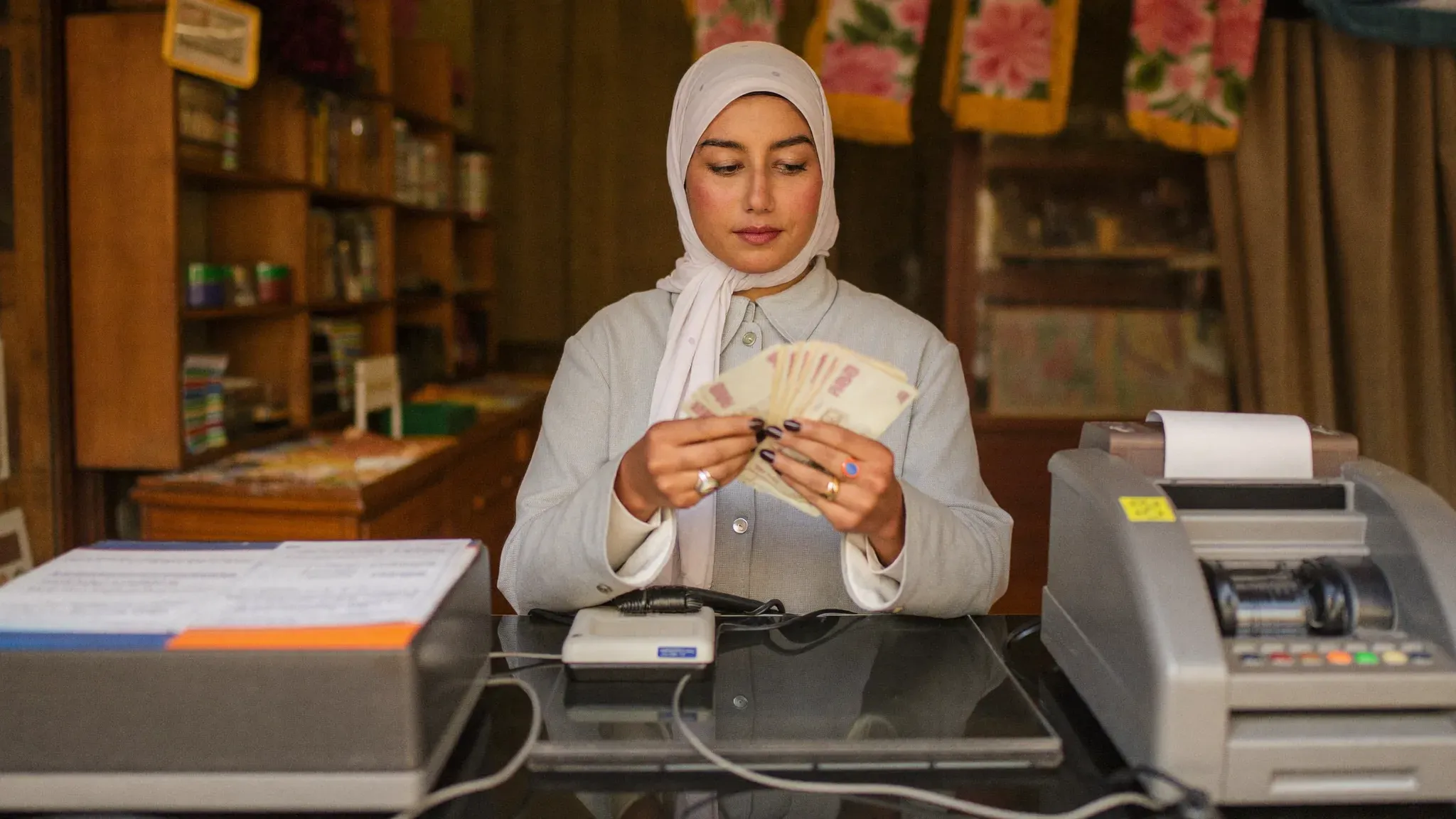
- Most till discrepancies come from entry errors, unrecorded discounts and customer credit noted "from memory" — not from theft.
- A clean day starts with a cash float counted and recorded at opening, and ends with a daily till closing comparing the expected total to the actual one.
- Customer credit kept in a notebook always ends in oversights: attach every credit sale to a customer record in your POS.
- A badly handled return distorts both the till and the stock; it must go back through the system, never through a quick reach into the drawer.
- With a connected till like PosXT (from 299 MAD (excl. VAT) per month, 14-day free trial), checkout, returns and the evening reports all happen from the same screen.
Keeping your till isn't just about giving change. It's opening the day with a known float, ringing up every sale without approximation, tracing returns and customer credit, then closing at night knowing exactly where every dirham went. Many merchants do all this "in their head", and discover at month end till discrepancies impossible to explain. This guide gives you the complete method, move by move — and shows how well-used POS software turns this chore into a ten-minute routine.
Why till discrepancies happen
A till discrepancy is the difference between the money that should be in the drawer and the money actually in it. And contrary to what people imagine, the number one cause isn't theft: it's the small daily errors that pile up. The most frequent causes:
- Change-giving errors: at rush hour, a 100 DH note mistaken for a 200 DH note is enough to create a hole.
- Discounts given from memory: "I'll do it at 45 instead of 50" — if the discount isn't recorded, the till expects 50 DH and only finds 45.
- Unrecorded sales: the customer in a hurry, the item sold "real quick" without going through the till, meaning to enter it later… and forgetting.
- Customer credit in a notebook: the money leaves the stock but never enters the drawer, and nobody knows anymore who owes what.
- Returns handled by hand: a refund taken straight from the drawer, with no record, distorts the till and the stock at the same time.
The good news: every one of these causes is fixed with one simple rule — nothing enters and nothing leaves the drawer without going through the system. This entire guide follows from that principle.
Opening your day: the cash float
The cash float is the amount of cash you leave in the drawer to give change from the very first sale. The rule: a fixed amount, counted and recorded every morning. For most shops, between 200 and 500 DH in small notes and coins is more than enough.
Why a fixed amount? Because it's your starting point for the evening closing: if you open with 300 DH and take 2,450 DH in cash, the drawer must hold 2,750 DH at closing time. Without a known float, it's impossible to tell whether a discrepancy comes from today or from the day before yesterday. In a properly equipped till, this movement is declared cleanly: in PosXT, a float top-up is recorded as a deposit into the "till" cash account, separate from sales — your float is traced, not scribbled on a sticky note.
Three good habits at opening: count the float in front of a witness if you have employees, note the opening time, and move yesterday's takings to the bank or the safe rather than letting them sleep in the drawer.
Ringing up sales fast and accurately
Good checkout rests on three things: speed, accuracy and a record. At the till, the standard flow is always the same: scan the barcode or search for the product by name, check the quantities, apply the discount in the system (never from memory), choose the payment method, confirm, then hand over the receipt. Every second saved counts when three customers are waiting — but never at the price of an unrecorded sale.
On payment methods, the reality of a shop is mixed: cash, card, sometimes bank transfer or mobile payment. What matters is that every sale carries its exact payment method, because that's what lets you reconcile, in the evening, the drawer (cash) and the terminal (cards) separately. A till that mixes everything makes closing impossible.
And partial payment? It's common: the customer pays 300 DH of 500 DH and "will come back Saturday". The bad practice is to take the 300 DH and jot the rest in the corner of a notebook. The good practice: attach the sale to the customer in the till, take the deposit, and let the balance appear as customer credit — we come back to it in the next section. In PosXT, simply adding the customer to the sale at checkout links the transaction to their history and their balance.
Finally, think about the hardware: a well-configured receipt printer and a cash drawer that opens automatically on cash payment (connected to the printer, triggered at confirmation) eliminate needless handling — and permanently open drawers, the first doorway to discrepancies.
Customer credit without the oversights
Customer credit is part of a shop's life: the loyal neighbourhood customer, the professional who settles at month end, the family you've known for ten years. Refusing credit can mean losing the customer. The problem isn't the credit itself — it's the notebook.
The credit notebook has three structural flaws: it doesn't total anything (you discover the real amount of your receivables too late), it chases nobody (small debts of 80 or 120 DH evaporate), and it disappears with whoever keeps it — a salesperson leaves, and nobody can decipher their notes anymore. A shop that grants even 500 DH of credit per day and forgets 10% of it loses about 1,500 DH a month, in silence.
Tracked credit changes the game entirely. Each credit sale is attached to a customer record at checkout: the customer's balance updates by itself, their history shows what they bought and when, and every payment reduces their debt in a traceable way. You know at all times how much you're owed, by whom, and since when. It's also a customer-relations tool: pulling up the exact history in front of a well-meaning customer avoids unpleasant discussions.
Handling returns without breaking the stock
A well-handled return must correct three things at once: the stock (the item goes back on the shelf), the till (the money refunded or the credit note issued is traced), and the sales history (you know which receipt is concerned). Handling returns "by hand" — taking the item back, handing over the notes, putting the product back on the shelf — breaks all three at once: the stock shows one item fewer than reality, the till has an unexplained hole, and nobody can prove anything six months later.
The right method, the one a sales return in PosXT follows:
- Find the original sale — the customer's receipt serves as the reference.
- Record the return in the dedicated module, with the store, the customer and the items concerned, the quantities and the amount in MAD.
- Choose refund or credit note: the refund leaves the till in a traceable way; the credit note keeps the money in the business and is deducted from a future purchase.
- Let the system update the stock — no manual reshelving without an entry.
- Add an internal note (reason for the return, condition of the item): if the operation is checked later, everything is there.
One last tip: display a clear return policy (time limit, receipt required, condition of the product). A framework announced in advance avoids 90% of counter negotiations.
Receipts: printed or sent
The receipt isn't a formality: it's the customer's proof of purchase, the reference for a possible return, and a reflection of your professionalism. A clean receipt shows your details (including the ICE for a Moroccan business), the itemized products, the discounts applied, the VAT and the total in MAD — all readable, with no cut-off margins.
On the practical side, a 72 mm thermal printer is the counter standard: fast, quiet, no ink to replace. The setup is done once — driver installed, paper size set, test receipt printed with a simple product — and you never touch it again. Connect the cash drawer to it and you have a complete checkout station.
And paper is no longer the only option: when confirming the sale, you can print the receipt or send it to the customer, for example by email. Customers who don't want paper appreciate it, professionals who archive their purchases find it useful, and it's convenient for you: the document stays retrievable in the sale's history. For more formal sales — a business customer, a prepared order — a sale created from the Sales module (outside the till screen) produces a detailed, printable document, with customer, products, taxes and payment.
The daily till closing, step by step
The daily till closing means comparing, every evening, what the till should contain with what it actually contains. Well prepared, it takes less than ten minutes. Here's the sequence:
- 1. Pull the expected total. Your POS software gives you the day's takings, broken down by payment method: so much in cash, so much in card, so much in credit granted.
- 2. Count the drawer. Notes then coins, twice if the first count doesn't come out right. Subtract the morning's float: the rest is your actual cash takings.
- 3. Compare. Actual takings against expected takings. A gap of a few dirhams happens; a gap of 100 DH or more deserves to be understood the same evening, while memory is fresh — not at month end.
- 4. Check the non-sale movements. A refund, an expense paid in cash (a delivery, a small supply) must each have their entry. In PosXT, every expense is recorded with a label, an amount and a date, and leaves the till account cleanly.
- 5. Empty and transfer. Rebuild the float for tomorrow, and record the deposit of the surplus to the bank as a transfer between cash accounts — the till and the bank account both stay accurate.
This daily ritual has a virtue beyond the numbers: when the team knows the till is counted every evening, the approximations disappear on their own.
Tracking the right numbers every evening
Three numbers are enough for day-to-day steering: the day's revenue, the margin and the state of the till. Revenue tells you whether the day was good; margin tells you whether it was profitable — 3,000 DH of low-margin sales is worth less than 2,000 DH with healthy margins; and the daily till tells you whether all the money is really there.
This is where a dashboard changes daily life: instead of adding up receipts, you open a single view showing the day's sales, returns, best products and key customers. The management reports complete the picture — sales, purchases, payments, stock, customers and suppliers — to spot the trends: the product taking off, the one gathering dust, the customer whose credit is swelling. Five minutes every evening, a fuller look on Sunday, and you steer with reliable numbers instead of impressions. To go further on running the shop as a whole, see our complete guide to running a retail business, and on the inventory side, our stock management guide.
Ringing up sales even without internet
A dropped connection should never close your counter. It's the criterion that separates real POS software from a mere online app: offline mode. Concretely, when the connection drops, the till keeps ringing up sales, printing receipts and recording sales locally; as soon as the connection returns, everything syncs automatically — sales flow up, stock updates, and your evening closing stays accurate, outage or not.
That's exactly what PosXT does. For a shop, it means zero sales lost on a day of flaky network, and zero re-entry in the evening. If you're evaluating a POS, test this point before anything else: unplug the Wi-Fi and try to ring up a sale. The answer will tell you right away whether the tool is built for a real counter. You can discover the till's full capabilities on our PosXT page.
Frequently asked questions
How much should the cash float be?
A fixed amount, suited to your average basket: between 200 and 500 DH in small notes and coins covers most shops. What matters isn't the exact amount, it's that it's identical every morning, counted and recorded — it's your reference for the evening closing.
What should I do when I find a till discrepancy?
Investigate the same evening, never "later". Go back through the day's sales in the software: an unrecorded discount, a return without an entry or an expense paid from the drawer explain the vast majority of discrepancies. Note the discrepancy and its cause; if discrepancies repeat at the same station or with the same team, you'll know where to look.
How do I handle a customer who wants to pay in instalments?
Attach the sale to their customer record at checkout, take the deposit, and let the balance live as customer credit tracked in the system. You keep a record of who owes what, and each payment reduces their balance — no more notebook to decipher.
Is the receipt required to accept a return?
You set your own return policy, but requiring the receipt (or finding the sale in the customer's history) is the healthiest practice: it proves the original sale, its real price after discount, and lets you record the return properly — a traced refund or a credit note, with the stock updated automatically.
A till that keeps itself in order?
PosXT brings together everything this guide describes: fast checkout, tracked customer credit, clean returns, receipts printed or sent, offline mode and evening reports. From 299 MAD (excl. VAT) per month — 14-day free trial, no credit card required.